Harumung

A calendar you grow with a puppy

Keep your plans,
watch your puppy grow

Write down to-dos, plans and special days, then check them off one by one. Each one earns your garden puppy paw stamps, and you grow together.

Get it on Google Play Coming soon to the App Store
Scan to get

Pick a friend

Try it: check off a to-do

In Harumung, every to-do you finish earns paw stamps, treats and XP. Spend paw stamps on new friends, places and outfits.

These paw stamps are just for the demo. Uncheck and check again and you still get them once, just like in the app.

0Paw stamps collected

Today

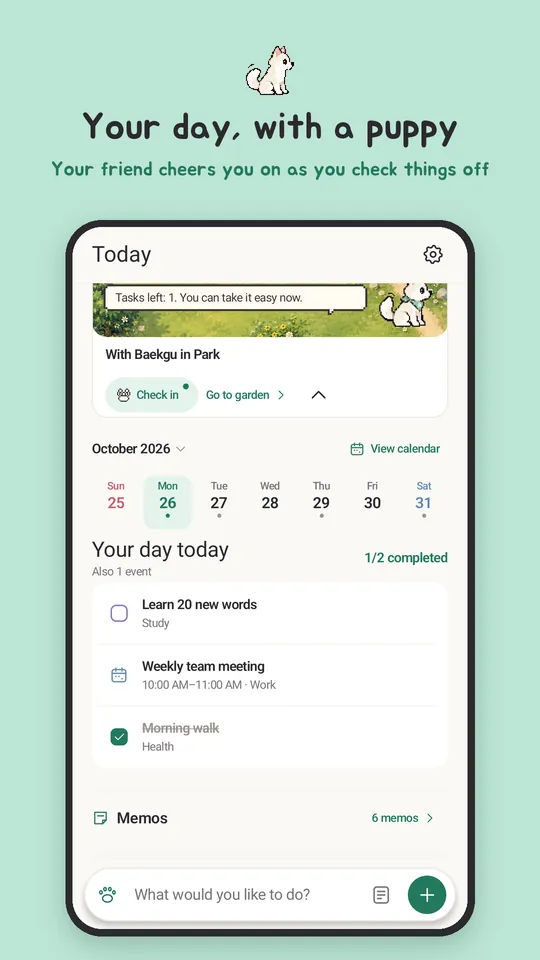
Your day and your friend on one screen

The Today home shows your friend's little scene together with today's to-dos, plans and special days.

  • Quick add reads dates and times as you type
  • Move put-off to-dos to today one at a time
  • Wrap up the day with a short review
Harumung Today home

Calendar

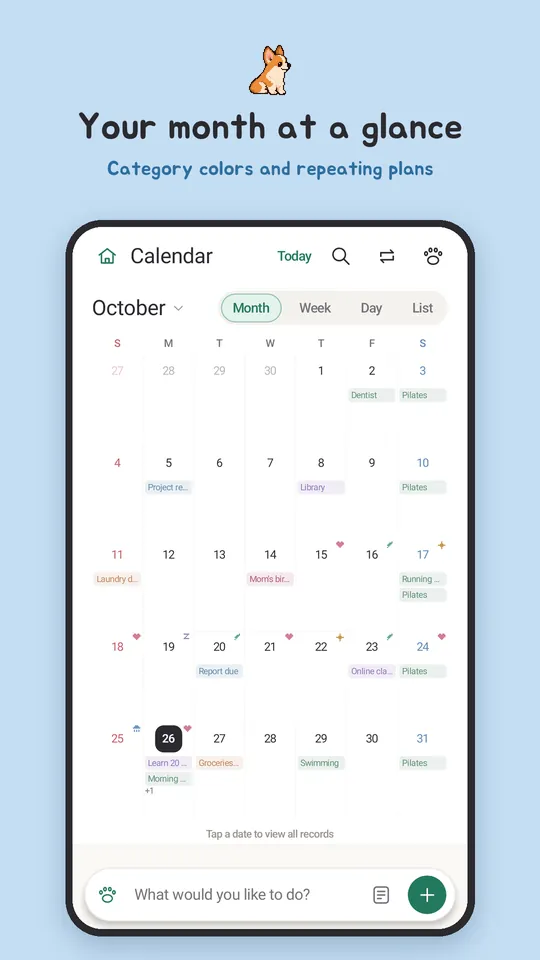
Month, week, day or list: see it your way

Write to-dos, plans and checklists, then set repeats and reminders.

  • Daily, weekly, every other week, nth week or last day of the month
  • Up to 3 reminders per entry
  • Search, public holidays and your phone's calendar events
Harumung calendar

Special days

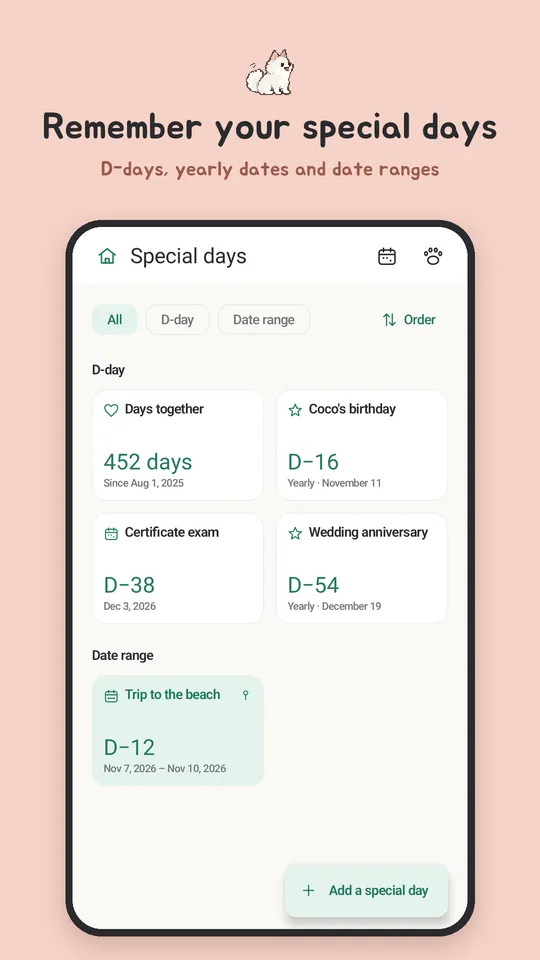
Birthdays, anniversaries and countdowns, solar or lunar

Never miss a 100th day or a first anniversary, and count a period from its first day to its last.

  • Lunar birthdays find their date every year
  • Upcoming anniversaries at a glance

How many days until your special day?

How to count

D-?Pick a date and it counts right away

Harumung special days

Garden

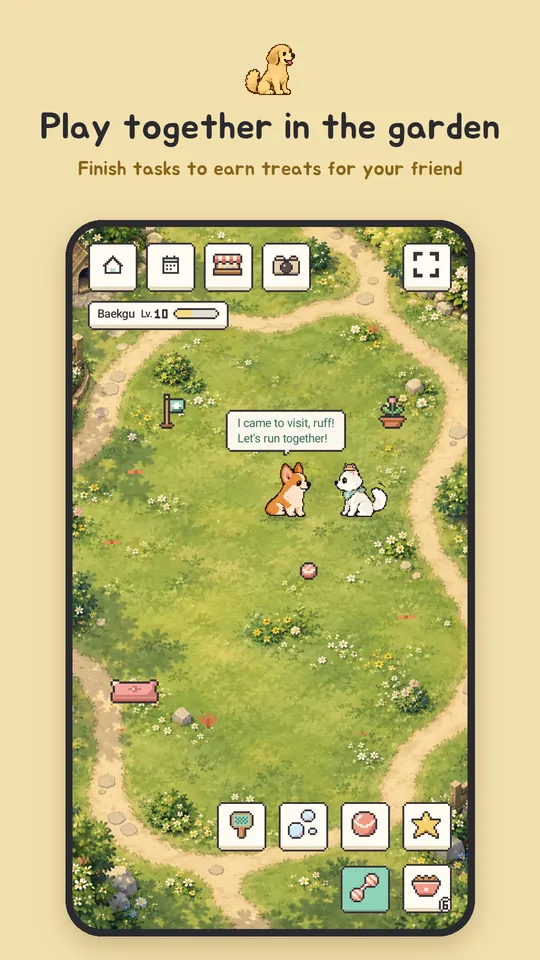
Collect paw stamps, decorate the garden

Finished to-dos earn XP, treats and paw stamps. Daily check-ins add more.

  • 8 friends, beach, camp and snow places, decorations and outfits
  • Fetch, bubbles and tricks, plus keepsake cards
  • A friend encyclopedia and your memories
Harumung garden

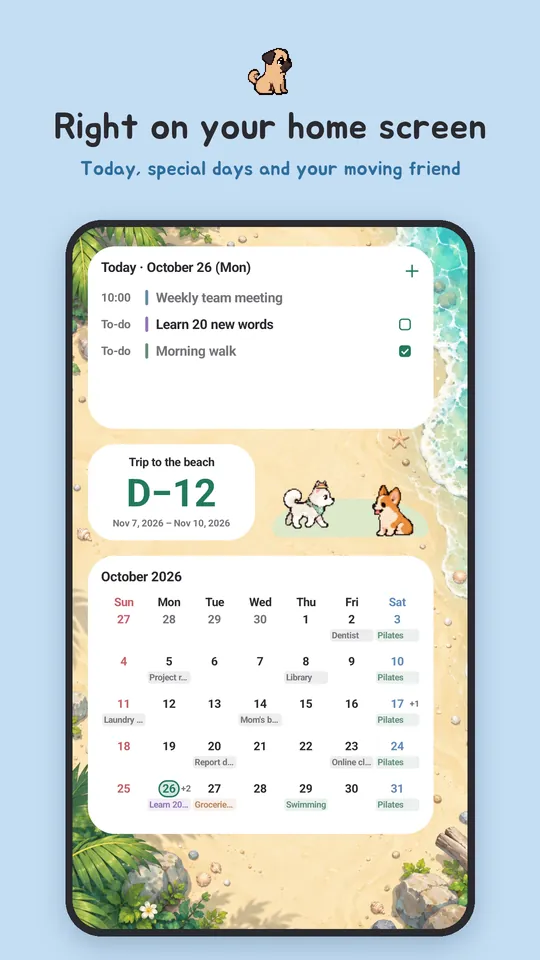
Widgets and reminders

On your home screen, no need to open the app

Month, week, today and special day widgets show your day at a glance.

  • Morning briefing and evening preview
  • Set how strong and when your reminders are
Harumung home screen widgets

Easygoing, for the long run

FAQ

Is Harumung free?

Yes. There is nothing to buy; it's supported by ads.

Do I need an account?

No. Install it and start right away. Your entries stay on this phone.

Is it on iPhone?

The iPhone app is coming soon to the App Store. For now you can get it on Android from Google Play.

Does it handle lunar birthdays?

Yes. Save a special day on the lunar calendar and it finds the solar date every year.

How do I move to a new phone?

Make a backup file in My records › Backup and restore, then open it on the new phone. It works between Android and iPhone too.

Which languages are supported?

Korean, English and Japanese.

Start growing together today

Free to start, no account needed.

Get it on Google Play Coming soon to the App Store